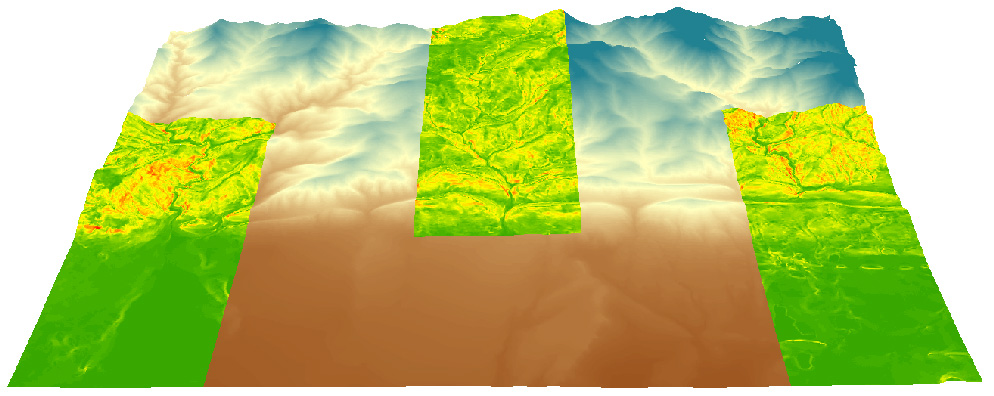
Fun in ArcScene: Draping a DEM over itself and draping slope over a DEM
How to covert a Geocomm.com 1:24K USGS dem to a GRID or TIFF raster format for ArcMap 10
|
Fun in ArcScene: Draping a DEM over itself and draping slope over a DEM |
Goal:
Software:
Steps:
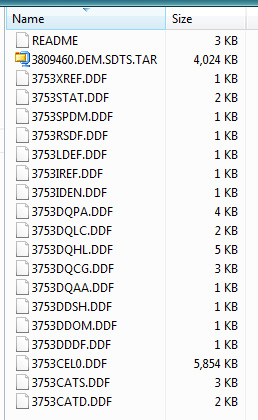
Download a *dem.tar.gz 1:24K dem from Geocomm.com, or practice with this one; 10 m Boulder, CO. Do not change the file name when downloading. Save the file to a new (empty) directory. Unzip / extract the file into the same directory in which the *dem.tar.gz file(s) are stored. IZArc is a good unzip tool. Extracting generates about 20 new files. Notice that the new files share the same first four characters (e.g., 3753). This is important later.
Place the executable file 'sds2dem.exe' into the same directory in which the *dem.tar.gz 1:24K dem file(s) and the unzipped files are located. sds2dem.exe is here, in bvogt's OutBox here \Users\Faculty\bvogt\OutBox\sds2dem\, and can be downloaded from the Univ. of AZ here.
Run sds2dem.exe from the directory (double click to run the file). You will be asked to 'Enter the first 4 characters of the base SDTS file name' (do this, hit enter), and then you'll be asked to 'Enter base file name (exclude any extensions): (do this, give it a nice, short, clean name like 'boulder').
sdts2dem will create a new file with a .dem extension (e.g., boulder.dem). NOTE: You can't just open this .dem file in ArcMap by using the 'Add Data' button. There is one more step:
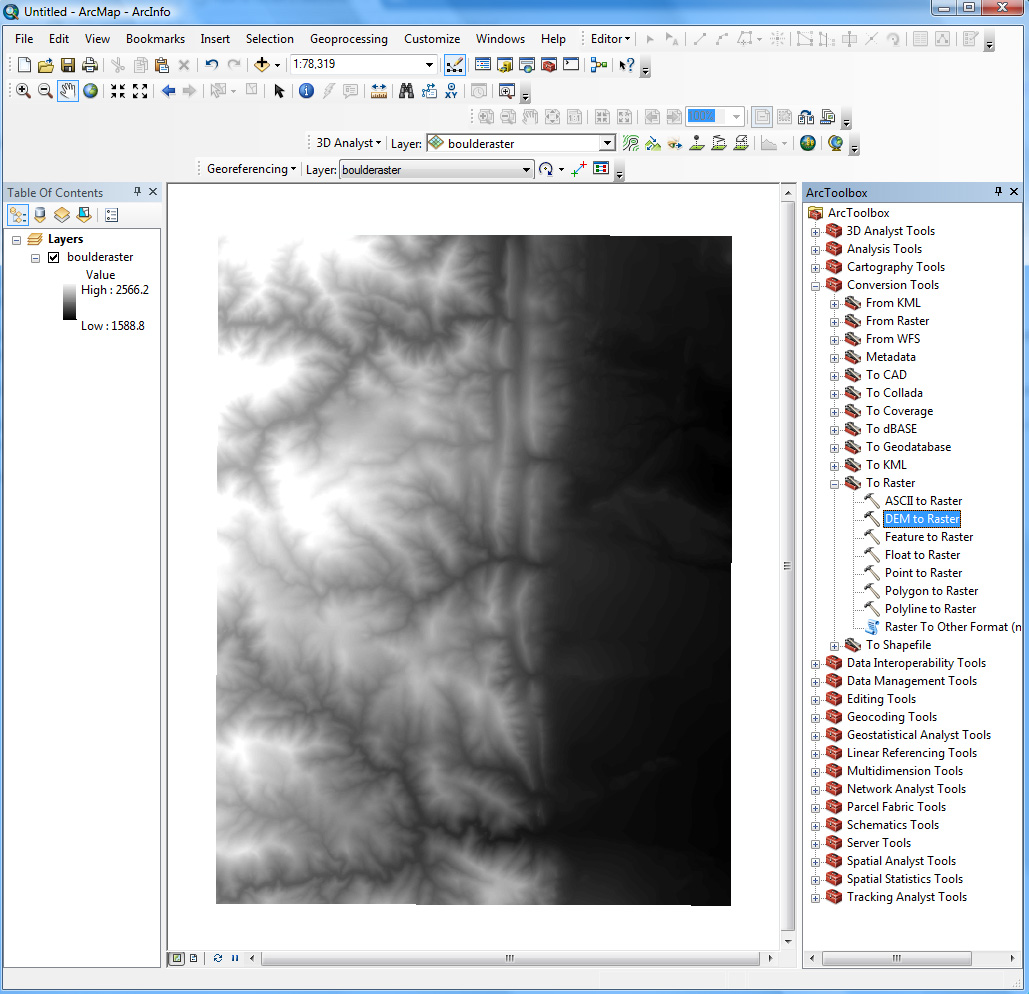
Open ArcMap. From ArcToolbox, go: Conversion Tools > To Raster > DEM to Raster. Give your output raster file a nice short and clean name like 'bldr_dem' to create a GRID raster format, or 'bldr_dem.tiff' to create a .tiff raster format. Both formats (GRID and .tiff) are good choices for ArcMap. Leave the other defaults (Output data type 'FLOAT' and Z factor '1'). Click OK. Here is the result.
Problems? Ask Brandon: bvogt @ uccs.edu